
Ask in your order processing department where a particular order currently stands. In many plants the honest answer is: "Let me quickly check my emails." Then there is searching, forwarding, asking around. At some point an answer arrives, usually a chain of twelve messages with three different subject lines and an attachment that nobody knows is the current version or not.
This is not an isolated case and not a question of discipline. It is the consequence of a decision that was never consciously taken: the inbox has become the place where work is controlled. It stores tasks, it prioritises by arrival, it decides who is in the know and who is not. And it does none of these things well.
I have recorded many workflows in the administration of plants, from order receipt to invoice. Almost always, email was the actual control system, and almost always it was the reason why lead times in the office were longer than in the hall. In this article I show how to recognise this and how to turn an email chain back into a process.
How to recognise that your office is run by email
A process has a defined start, clear steps, one responsible person per step and a recognisable end. An email chain has none of these. It has a sender, any number of recipients in cc and an end that nobody confirms.
Typical signs from my recordings:
- The status of a case can only be found in the inbox of one particular person. If she is off sick, the case stops.
- The same information is requested several times in several messages, because nobody knows whether it has already been answered.
- Cc is used as insurance: anyone on the distribution list counts as informed. Whether they have read it, nobody knows.
- Priority is created by urgency flags and capital letters in the subject line, not by a rule.
- With a complaint, processing begins with a search: who had the case last?
If you recognise three of these five points, your office is run through the inbox. That is not the fault of the employees. They have made do with the only tool that was available to everyone.
Why the inbox is so expensive as a control system
The inbox sorts by arrival, not by importance. The customer who writes at seven o'clock is handled before the customer who has a more urgent matter at nine. Every employee prioritises for themselves, to the best of their knowledge. There is no shared sequence.
Then there is the handover. Every forward is a change of owner without a receipt. In the plant, nobody would push a component into the next area without someone there accepting it. In the office, that is exactly what happens with every forward. The case then sits in an inbox where it waits to be discovered between newsletters and internal circulars.
The third cost factor is invisible: the search. If you ask someone how long it takes to process a customer enquiry, you are told the processing time. What is missing is the time spent beforehand on searching, asking and reconstructing. In the language of lean, this is muda in its purest form: motion without value creation, invisible because it happens on a screen.
An example from order processing
In the order processing department of a plant with several product lines, we once traced a single customer order from receipt to order confirmation. Not on paper, but for real: who did what with it, and when?
The order arrived as an email at internal sales. From there it went to design for technical clarification, with sales, production planning and purchasing in cc. Design had a query for the customer. The customer's answer landed at internal sales, who forwarded it to design, this time without cc. Purchasing meanwhile waited for a bill of materials that had long existed, but sat in the attachment of a message it had never received.
In the end the order confirmation was ready after days. The pure processing time of all those involved put together would have fitted into one morning. The rest was idle time in inboxes and the time someone needed to find out whether it was their turn. Nobody involved had done anything wrong. There was simply no process that could have been done right.
What a process needs instead of the email chain
The solution is not to ban emails. The solution is to take the control out of the inbox and bring it to a place that everyone can see. What this place needs:
- A visible status per case. Not in an inbox, but somewhere every person involved can look without asking.
- One owner per step. A case always belongs to exactly one person, and the change of owner is confirmed, not just sent.
- A shared sequence. Which cases first? The answer is a rule, not the time of arrival.
- A single filing location per case. Attachments sit there, not in inboxes.
- A limit on open cases per person or area. Anyone who accepts more than they can process produces idle time.
That sounds like a tool, and in the end it often is one. But the tool is the last step, not the first. I have seen departments that created more order with a wall, cards and a daily five-minute round than with an expensive ticketing system that everyone bypassed because the workflow behind it had never been clarified.
How to proceed without endangering day-to-day business
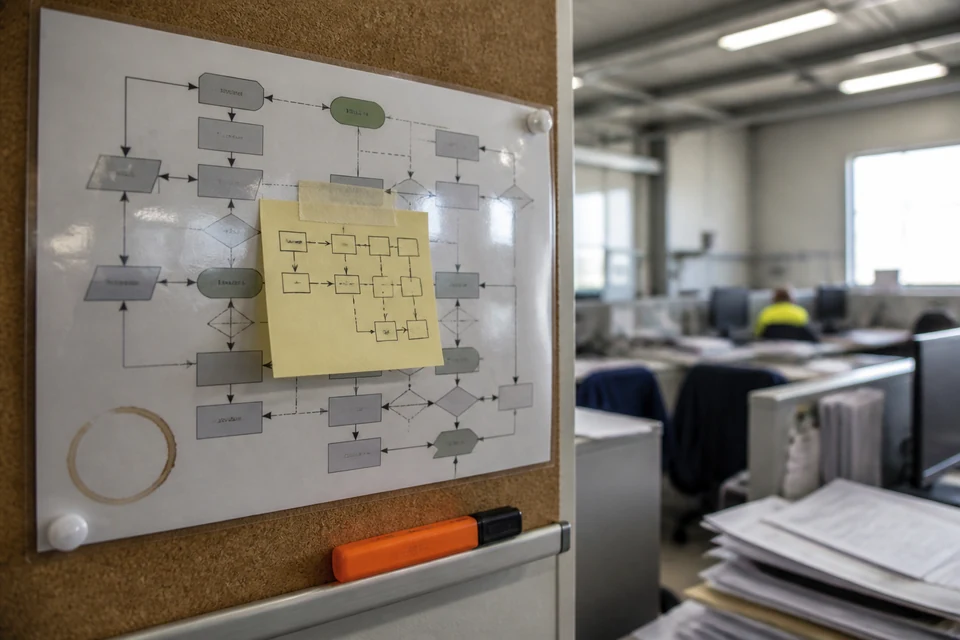
Start with a single type of case. Complaints are a good choice, because the pain is tangible and the people involved are manageable. Record the workflow with the people who do it every day, from receipt to completion. Draw it as it actually runs, not as it says in the manual.
Then mark every point where the case changes owner by email. Those are your handovers. For each handover, clarify three things: who accepts it? How do they recognise that it is their turn? What do they need to be able to start immediately?
Only once that is in place do you choose the means. That can be a shared board, a list, a module in the existing system or indeed a ticketing system. What matters is that it reflects the rules the team itself has agreed, and not the other way round. A tool that digitises an unclear workflow only makes it unclear faster.
And talk to the team about cc. Anyone who needs to be informed in future sees the status in the shared place. Anyone who is in cc without having a task is no longer there. That alone relieves inboxes noticeably, and it forces clarification of who really has something to do with the case.
Where email is still the right choice
Email remains the right means for everything that needs no control: a piece of information to one person, a question with one answer, an exchange with an external partner who has no access to your systems. It also remains the entry point for much of what comes from outside. Customers and suppliers write emails, and that will stay that way.
The difference lies in the moment afterwards. An email that triggers a case is turned into a case, with status, owner and filing, and leaves the inbox. The inbox is then once again what it should be: a letterbox, not a workbench.
Once you have achieved that for one type of case, the employees will ask of their own accord whether the same could be done for quotations, change requests or approvals. That question is the best moment to continue. Not before.
In short
- An inbox sorts by arrival, not by importance. Anyone who controls by email leaves priority to chance.
- Every forward is a handover without a receipt. In the plant nobody would allow that.
- Status, owner, sequence and filing belong in one place everyone can see, not in individual inboxes.
- First clarify the workflow, then choose the tool. Software only makes unclear workflows unclear faster.
- Start with a single type of case, such as complaints, and let the rest follow.
Frequently asked questions
Frequently asked questions
Do we absolutely need a ticketing system for visible cases?
No. A ticketing system is one possible implementation, not a prerequisite. What matters is that status, owner and filing per case are visible to everyone involved. That can also be achieved with a shared board or a well-maintained list. Choose the tool only once the team has agreed the workflow and the rules. Otherwise the software reproduces the old sprawl.
How do I get the team to give up the inbox as a control system?
Not by instruction, but by jointly recording a real case. When the people involved see for themselves how often an order sits, is searched for and asked about, the wish for order arises by itself. Let the team formulate the rules for handovers themselves. Rules you have written yourself, you keep. And abolish cc as insurance, that takes pressure off the inboxes immediately.
What do I do about customers and suppliers who continue to write by email?
You do not change that, and you do not need to. Email remains the entry point. The difference lies in the step afterwards: whoever receives an email that triggers a case creates the case in the shared place and continues working from there. The email itself is then only the trigger, no longer the place where the case lives. For external partners, everything stays as usual.